







Photo 2026 05 06 17 25 47
123

Access real-money slots and table games with Mobile Casino on your smartphone.

Play Anywhere

Mobile Casino Canada - Mobile Gaming and Account Control

4.337900

Slots

FruitZen

FruitZen

Gates of Olympus

Gates of Olympus

Jellyfish Flow

Jellyfish Flow

Stay Frosty

Stay Frosty

Sugar Rush

Sugar Rush

Tower Of Fortuna

Tower Of Fortuna

Winds of Wealth

Winds of Wealth

Mobile Casino Platforms in Canada

We operate within provincial rules, so availability and requirements change a little from region to region. In Ontario, online play has needed AGCO oversight since 2022. Other provinces still work under older frameworks that allow licensed real-money operators to go live.

Our Mobile Casino platform is built for phones first. Real-money slots, table games and live dealer rooms all run through mobile-optimized layouts, so you can play without ever touching a desktop device.

Game lobbies are not identical from one platform to another. Some partners highlight volume with well over 2,000 slot titles. Others lean on higher return-to-player percentages where some games reach 98% RTP or more. For Canadian customers we keep Interac available wherever possible. It is the default payment rail for a lot of people here, so it fits naturally into the cashier.

On regulated services you will run into session timers, configurable deposit caps and formal self-exclusion tools. Age rules still depend on where you live. In Alberta, Manitoba and Quebec it is 18 years, while in every other province and territory you must be at least 19.

Account Registration and Verification

To open an account with us you fill out a standard registration form. We ask for full legal name, date of birth, home address, email and mobile number. Provincial age thresholds apply based on the address you provide and the location you actually play from.

Verification starts right after sign-up. You upload a government-issued photo ID from your phone, attach a proof of address that is not older than 90 days, and submit everything for review. Our systems check the documents automatically, then we confirm your status by email or SMS. Once we approve the account, you can use the full set of deposit and withdrawal features.

Canadian FINTRAC requirements mean we must verify identity for payouts and for transactions at or above $3,000. For higher-value withdrawals or activity that looks unusual, we can ask for extra paperwork. In regular cases, verification is wrapped up in roughly 24 to 72 hours, and often sooner if the images are clean.

If anything is missing or not accepted, your ability to cash out will be limited. You can still make deposits and play, but withdrawals stay on hold until checks are finished. We decline documents that are expired, too blurry to read or that show details different from your account profile. It is worth double-checking dates, names and image quality before you upload.

Mobile Application Installation

We make Mobile Casino available through direct download and official app stores when policies allow. On some Android setups you install an APK directly from our website because of Google Play restrictions. iOS customers usually find the mobile app through the App Store under the approved brand name.

For Android, you might need to allow “Unknown Sources” or similar wording in your device security menu. After that, you visit our website on your phone, scroll to the download area, tap the APK link and wait for it to finish. Then open the file from your notification tray or file manager, follow the on-screen prompts, accept requested permissions and you will see the app icon on your home screen once it is installed.

On iOS, the process is more standard. Search our platform name in the App Store, check that the listed developer matches our brand, then tap to install. Automatic updates can be handled by your device settings so you do not have to manage them manually.

Most of our apps support Android 7.0 or newer and iOS 12.0 or newer. We usually recommend at least 2GB of RAM and roughly 200MB of free storage. Older phones or tablets can sometimes stutter with live dealer streams or higher-end slot graphics, although classic slot titles tend to run without major issues.

If you prefer not to install anything, a progressive web application is another route. You open our mobile site in a modern browser, then add it to your home screen. The shortcut behaves a lot like an app but runs directly through the browser.

Game Categories and Access

We break down the games into clear sections in the lobby so you can jump to what you want. Slots take up most of the space, typically with hundreds or even a couple thousand options. Table games bring together blackjack, roulette, baccarat and several poker formats. Live dealer lounges stream real-time games with human croupiers from studio floors.

Here is how it usually looks in numbers:

CategoryTypical CountAccess Method
Slots600-2400Browse by provider or theme
Blackjack15-30Table games section
Roulette20-40Table games or live dealer
Live Dealer50-100Dedicated live casino tab

Search bars help you find a specific title by typing in its name. Filters let you sort games by provider studio, volatility level, special features or release date. You can mark favorites to keep them in a personal list, and your recently played titles appear in the account area so it is easy to go back.

On most slots and a lot of table games there is a demo option. You switch between demo and real-money play with simple buttons in the lobby or inside the game window. Live dealer games stay real-money only, there are no trial or free-play versions for the streamed tables.

Our content comes from providers like Microgaming, NetEnt, Evolution Gaming, Pragmatic Play and Play’n GO. The exact mix depends on what each partner platform integrates. Sometimes there are exclusive tables or slot skins that only show up under particular agreements.
Mobile Gaming Features

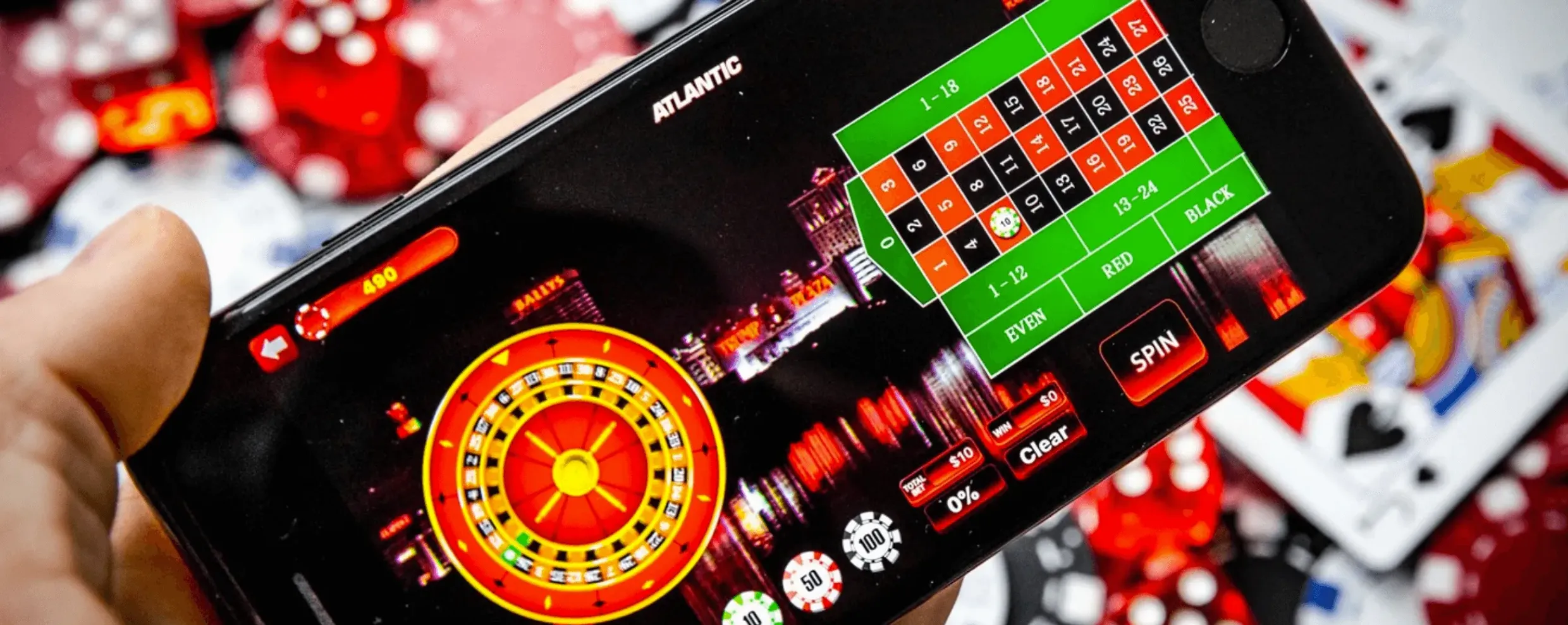
Mobile Casino platforms operate within provincial regulations across Canada. In Ontario, services follow AGCO oversight since 2022, while other provinces use established frameworks for licensed operators.

Our mobile-optimized platform includes:

  • Over 2,000 slot titles with some games reaching 98% RTP
  • Live dealer rooms and table games designed for phones
  • Interac payment integration for Canadian players
  • Session timers and deposit caps on regulated services
  • Age verification based on provincial requirements (18 in Alberta, Manitoba, Quebec; 19 elsewhere)

All games run through mobile layouts without requiring desktop access.

Mobile casinos

Deposit Configuration and Payment Methods

When you are ready to fund your account, you head to the cashier or banking section from the main menu. For customers in Canada, Interac e-Transfer is usually the primary method because of its direct link to local banks. Alongside Interac, credit and debit cards, prepaid vouchers and sometimes cryptocurrency are available as secondary choices.

To deposit with Interac e-Transfer, you first select it in the cashier screen and enter the amount you plan to send, keeping an eye on the platform limits. We show you the unique reference code and receiving email address. Then you open your online banking or mobile banking app, start a new Interac e-Transfer to the casino email, paste the reference code into the message field, and confirm the transfer through your bank’s security steps. After that you return to your Mobile Casino account and wait for the balance to update.

Minimum deposits are usually in the $10 to $20 range. For a single transaction, maximums often sit between $5,000 and $10,000 depending on both the operator and the payment channel. Card payments tend to post almost instantly. Interac deposits can be near-instant as well, but sometimes take up to a few hours to clear.

We show only the payment methods that match your current location and account level. Once verification is fully complete, the full menu of funding options is normally unlocked. Before verification is final, limits can be lower or some methods disabled.

You can also cap your own deposits. In the responsible gaming section, you set daily, weekly or monthly maximum amounts. It is important to remember that once a limit is in place, increases do not take effect straight away. Cooling-off delays of roughly 24 to 72 hours apply to prevent quick changes during heavy play.

Withdrawal Processing

Payouts work from the same general cashier area but follow a few more conditions. Your account must be verified and, where required, the withdrawal method needs to match what you used for deposits. On some platforms, verified users can access instant or near-instant payout tools for specific methods.

To request a withdrawal you go to the withdrawal screen, choose one of the available methods and enter the amount within the posted minimums and maximums. Then you confirm the bank details or wallet information, send in the request and keep the transaction reference number shown on the page. Funds pass a security review and we confirm each stage by email. After approval, you just wait for the money to land in your bank or wallet based on the method’s usual timeframe.

Interac e-Transfer withdrawals mostly finish in around 24 to 48 hours once approved by the operator. Standard bank transfers can stretch to 3 to 5 business days. Cryptocurrency usually arrives faster, in some cases within a few hours and typically within a day.

There is often a pending period right after you place a withdrawal. During this window, which can be as short as 1 hour or as long as 48 hours depending on the operator, the request is queued but not yet processed. You can cancel or adjust a pending withdrawal from your account if you change your mind and want to keep playing.

Withdrawal limits apply both to each cashout and to defined timeframes. Common settings are around $5,000 per transaction, $10,000 per week and $50,000 per month. Players in VIP programs may see higher ceilings, especially if they are active with larger stakes.

Responsible Gaming Tools

Responsible gaming tools live directly in your account settings so you do not have to contact support to use them. Session timers keep track of how long you stay logged in and send on-screen alerts at the intervals you choose. Deposit limits restrict how much money you can send into the account per day, week or month. Self-exclusion switches can block you from logging in at all for set periods or indefinitely.

You manage these settings under the responsible gaming or player protection sections in the menu. It is important to keep in mind that changes are not always instant. Decreasing a limit usually happens within about 24 hours, while raising it again can take up to 7 days. These waiting periods are there to slow down sudden decisions and give some distance from active play.

On Ontario-regulated platforms, you will see responsible gaming messages and links in prominent places like headers, footers or account dashboards. We also list contacts for services such as ConnexOntario and the Responsible Gambling Council so that support lines and information centres are easy to reach.

When a session timer hits the configured mark, gameplay pauses and a notice pops up with your elapsed time. You can acknowledge the message to continue or choose to log out. If you set a hard maximum, the system will log you out automatically once that duration is reached.

Platform Security

For security, we rely on encryption to protect data as it moves between your device and our servers and while it is stored. SSL certificates secure the connection, and optional two-factor authentication adds a second step to logging in through one-time codes sent by SMS or produced by an authenticator app.

Passwords must meet minimum complexity standards. We monitor login attempts and temporarily lock accounts after several failed tries, send alerts when there is a new device or IP address and generate transaction notifications through email or SMS. On supported phones and tablets, biometric options like fingerprint or face recognition can be used to sign in.

Two-factor authentication can be turned on in your security settings. After you confirm your phone number or link an authenticator app, each login will require both your password and a new code. This makes it more difficult for someone else to get in, even if they know your password.

We continuously watch account activity for patterns that do not look normal. Large withdrawal requests, multiple failed logins or sign-ins from unusual locations may trigger additional checks. In those cases we reach out to you, and sometimes we ask for identity confirmation before anything continues.

If you forget your password, recovery follows a controlled process. You start a reset from the login screen, then we send a secure link to your registered email. Temporary passwords or reset tokens expire after a short time or a single use. On some platforms, security questions or extra verification steps are also used as another layer before a new password is accepted.

  1. Review your account details regularly.
  2. Enable two-factor authentication where possible.
  3. Keep your contact information current so you receive all security alerts.